Have you ever seen the “ user not found ” message on Instagram? Whether you're visiting a user's profile, receiving a private message , or performing a search, this error can appear for various reasons. But what exactly does it mean, and how can you fix it? In this article, we'll explain the 5 main causes of this error and the possible solutions.
1. The user has changed their username
The first possible cause of the “ user not found ” message on Instagram is that the user has changed their username. When someone changes their username on Instagram , their old name becomes obsolete and you can no longer find them using that name. If you click on a link or mention that redirects to their old name, you will see the “user not found” error . This means that their old name no longer exists on Instagram.
The solution in this case is to find out their new username and search for it on Instagram. If you've already exchanged private messages with this person, you can access their profile from the conversation. Otherwise, you can ask them directly for their new username or try to find it on their other social media accounts .
2. You are blocked by this user
The second possible cause of the “user not found” message on Instagram is that you are blocked by that user. When someone blocks you on Instagram, you can no longer see their profile, posts, stories, or reels . You also can't search for them or send them messages. If you try to visit their profile from a link or mention, you will see the “user not found” error. This means you no longer have access to their content on Instagram.
The solution in this case is to contact the person through another channel and ask why they blocked you. If it was a mistake or a misunderstanding, they can unblock you and you'll be able to see their profile again. Otherwise, you'll have to respect their decision and not insist.
3. The user has deleted or deactivated their account

The third possible cause of the “user not found” message on Instagram is that the user has deleted or deactivated their account. When someone permanently deletes their Instagram account , all their data is erased, and they no longer exist on the platform. When someone temporarily deactivates their Instagram account, it becomes invisible and inaccessible until they reactivate it. In both cases, if you try to visit their profile from a link or mention, you will see the “user not found” error. This means that their account no longer exists or is unavailable on Instagram.
The solution in this case is to wait for the user to reactivate their account if they deactivated it, or to respect their decision if they deleted it. You can also try contacting them through another channel to find out why they left Instagram and if they plan to return.
4. The user's account is suspended or banned
The fourth possible cause of the “user not found” message on Instagram is that the user's account is suspended or banned by Instagram . When someone violates Instagram's rules or terms of service , their account may be temporarily suspended or permanently banned. In this case, their profile, posts, stories, and reels are removed or hidden by Instagram. If you try to visit their profile from a link or mention, you will see the “user not found” error . This means their account has been sanctioned by Instagram .
The solution in this case is to let the user resolve the issue with Instagram. If they have been suspended, they can recover their account by following the instructions sent by Instagram. If they have been banned, they can appeal the decision by contacting Instagram customer service.
5. There is a bug or technical problem on Instagram
user not found message on Instagram is a bug on the platform . Sometimes, the Instagram app can experience malfunctions or outages that affect its functionality. In such cases, some profiles may not display correctly, or some searches may not return results. If you try to visit a user's profile from a link or mention, you will see the “user not found” error. This means the problem lies with the app, not the user.
The solution in this case is to check if the problem is widespread or isolated. You can consult websites like Downdetector or social media platforms like Twitter to see if other users are experiencing the same issue. You can also try updating the app, clearing the cache, switching to a different network, or restarting your device. If the problem persists, you can report the bug to Instagram using the “Report a Problem” option in the app's settings.
FAQ
How can I tell if someone has blocked me on Instagram?
There's no foolproof, official way to know if someone has blocked you on Instagram . However, there are a few clues that might give you a hint. For example, if you see the message "user not found" when you try to visit their profile, if you no longer see their posts or stories in your feed, or if you can no longer send them messages or search for them on Instagram , there's a good chance they've blocked you.
How do I unblock someone on Instagram?
If you have blocked someone on Instagram and want to unblock them, here's how to do it:
- Go to your profile and tap the three horizontal lines in the top right corner.
- Tap on “ Settings ”, then on “ Privacy ”.
- Tap on “ Blocked Accounts ”, then on the name of the person you want to unblock.
- Press “ Unlock ”, then confirm your choice.
How do I reactivate my Instagram account after deactivating it?
If you have temporarily deactivated your Instagram account and want to reactivate it, here's how:
- Open the Instagram app or go to the website instagram.com from a browser.
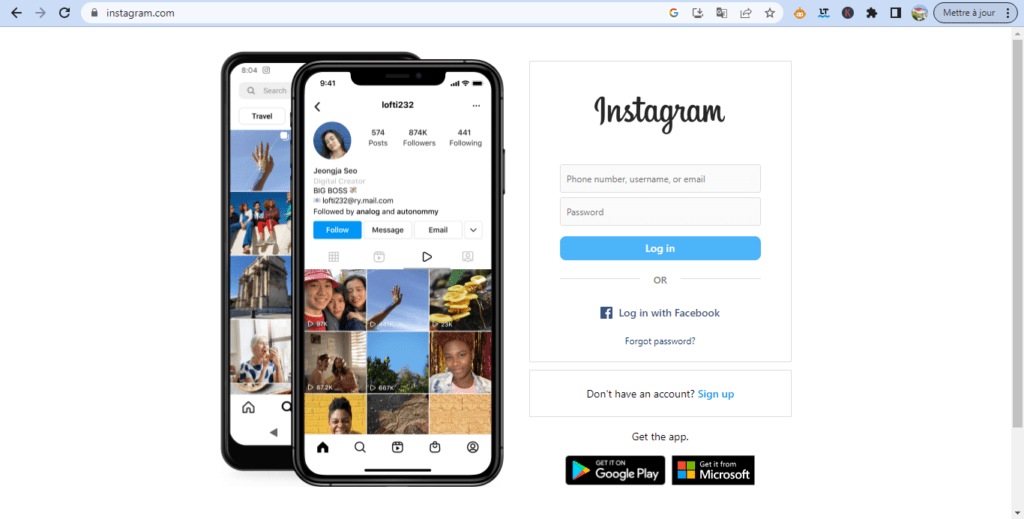
- Log in with your username and password.
Your account will be automatically reactivated and you will be able to use Instagram normally again.
How to permanently delete your Instagram account?
If you want to permanently delete your Instagram account and erase all your data, here's how to do it:
- Go to the instagram.com website using a browser. You cannot delete your account from the app.
- Log in with your username and password.
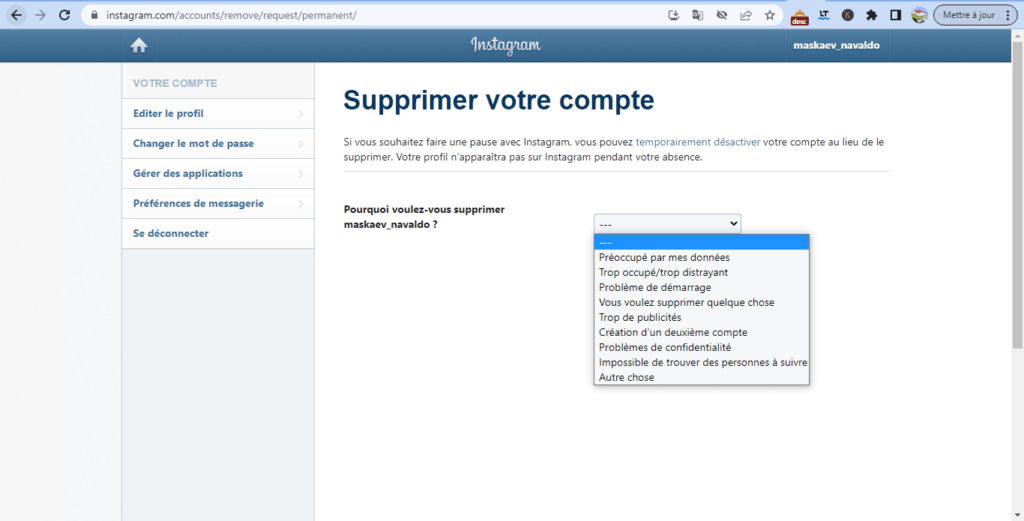
- Go to the “ Delete your account ” page by clicking on this link: https://www.instagram.com/accounts/remove/request/permanent/
- Choose a reason why you want to delete your account from the dropdown menu.
- Enter your password again to confirm your identity.
- Click on the “ Permanently delete my account ” button.
Your account will be deleted and you will no longer be able to log in to Instagram.
How do I contact Instagram customer service?
If you have a problem with your Instagram account or if you want to report a bug, abuse or a violation of the rules, you can contact Instagram customer service in several ways:
- From the Instagram app, tap the three horizontal lines in the top right corner of your profile, then tap “ Settings ”. Next, tap “ Help ”, then “ Report a Problem ”. You can then choose the type of problem you are experiencing and send a message to customer support.
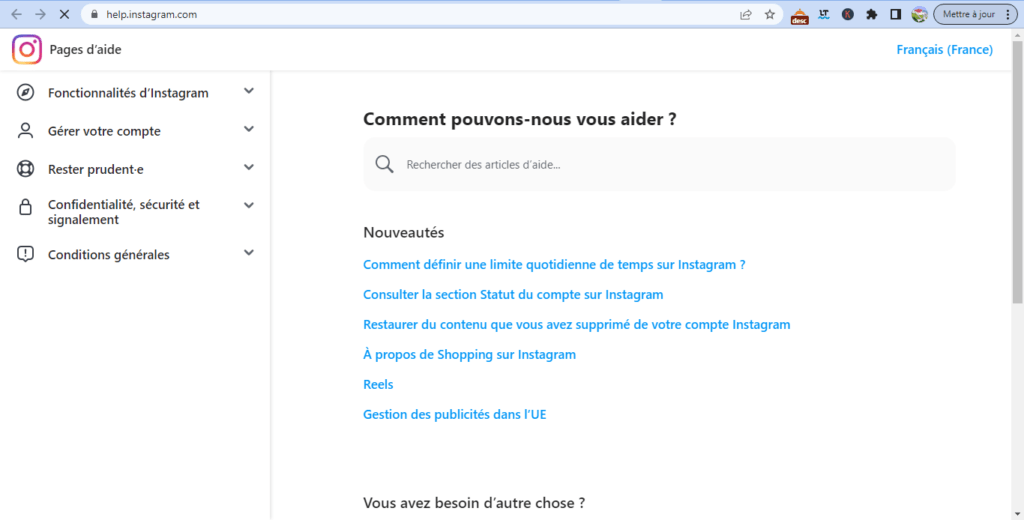
- From the instagram.com website, click the “ Help ” link at the bottom of the page, then click “ Help Center .” You can then access help articles or click “ Contact Us ” to send a message to customer service.
- You can also send a private message to Instagram's official account on Facebook or Twitter via social media. However, a quick or personalized response is not guaranteed.
Conclusion
The “user not found” message on Instagram can have several meanings and causes. It may indicate that the user has changed their username, blocked you , deleted or deactivated their account , been suspended or banned by Instagram , or that there is a bug or technical issue with the app . Depending on the cause, there are possible solutions to resolve this error and regain access to the user's profile. However, it's important to respect the privacy and choices of other users and avoid harassing or spamming them . For example, if you want to hide your Instagram subscriptions to prevent other users from seeing who you follow, you can do so by changing your account's privacy settings .